Project Relay
Rethinking how Fluid is designed and handed off.
In progress
- Claude Design
- Claude Code
- Figma
- purple600
- purple50
- neutral900
- text-7i-medium
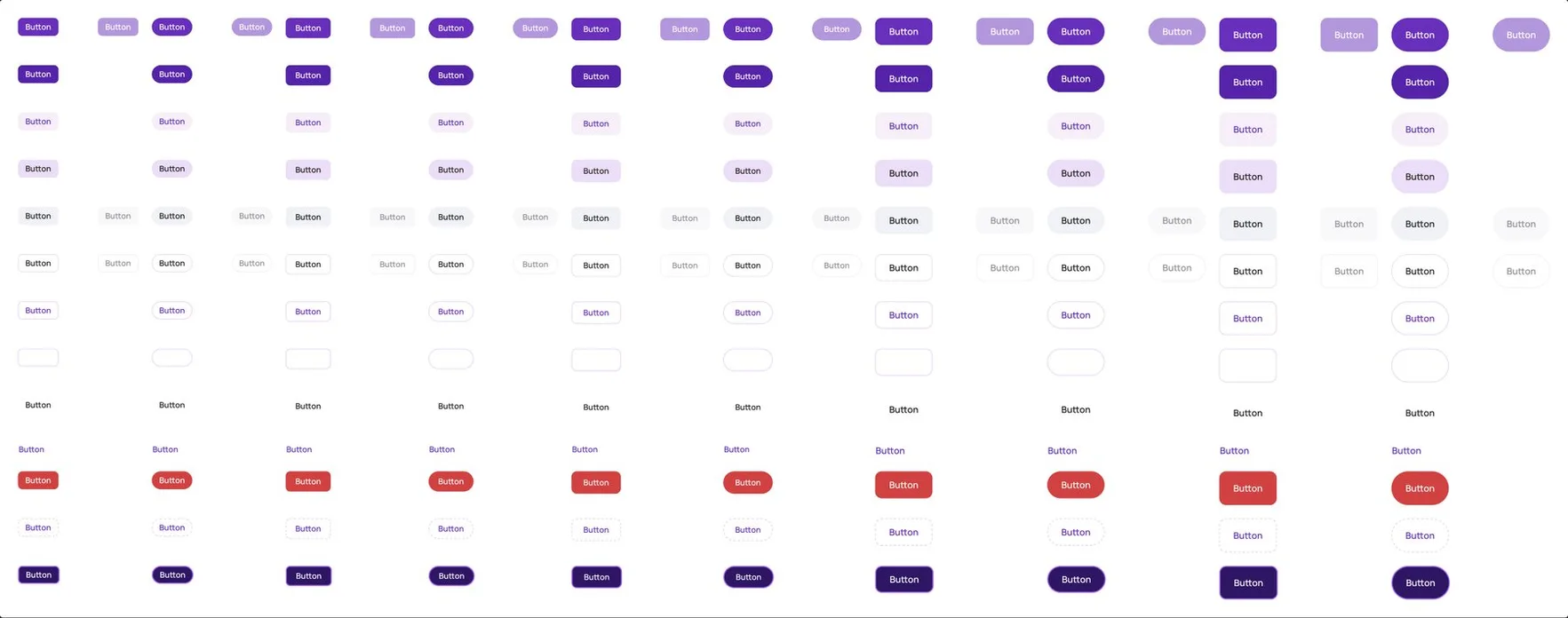
- Button
- Badge
- Table
- Checkbox
- Dialog
- Drawer
- SearchField
- SelectionBar
- +46
- “Every multi-select list shows what’s picked, as chips.”
- “A dialog never grows past the screen; its body scrolls.”
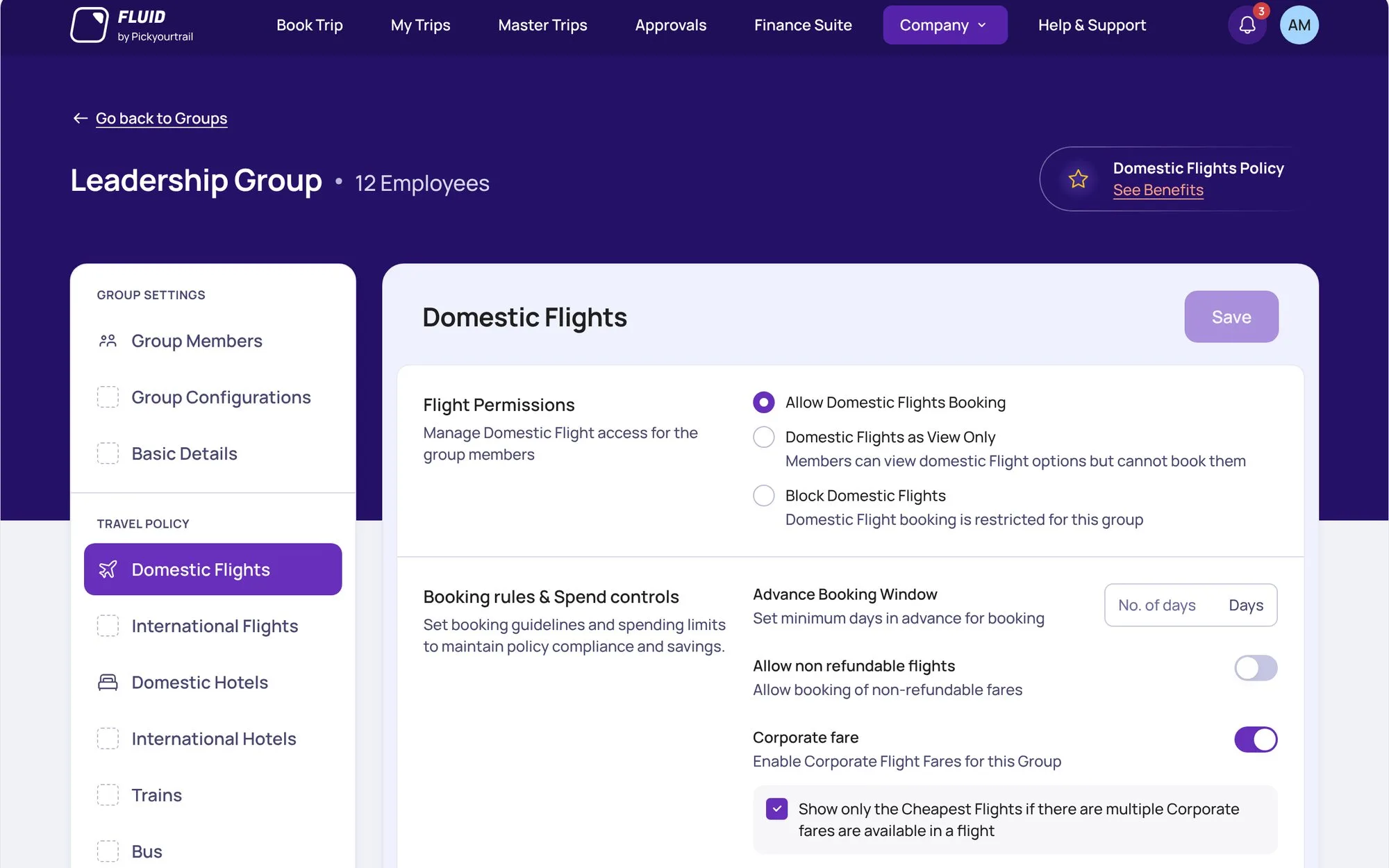
Why I built it
I designed all of Fluid in Figma, and every screen went through me. Figma didn’t match the code, and moving to Claude still meant redrawing every screen in Figma. I was the bottleneck.
I was the bottleneck.
I designed all of Fluid in Figma, and every screen went through me. Figma didn’t match the code, and moving to Claude still meant redrawing every screen in Figma.
- 3products: App, Web and Hub
- 5developers at most
- ~150projects a year
A design system Claude runs
Fluid DS lives in Claude Design: tokens, components and rules, named exactly as in the code.
One token file feeds design, Figma and code. Figma variables are generated from it, and the drift check shows 0 differences.
Claude builds only with Fluid DS.
Tokens, components and rules live in Claude Design, named exactly as in the code.
One token file feeds design, Figma and code. The drift check shows 0 differences.
- Builds only with the system.
- Grows the system, not the page.
- Never guesses.
- Checks before it says done.
It grows with every change. When a project needs something new, Claude adds it to Fluid DS first. 32 releases in two days, most of them rules.
It grows with every change.
When a project needs something new, Claude adds it to Fluid DS first. 32 releases in two days, most of them rules.
- Show what’s picked, as chips.
- A dialog never grows past the screen.
- On means the thing happens.
- Menus come in three widths.
How a flow gets made
A flow is a few screens that do one job, like adding cities to a tier. Every flow goes through the same five steps, and Claude does most of them.
Every flow, the same five steps.
A flow is a few screens that do one job, like adding cities to a tier. Claude does most of the steps.
- AI step
- Me
- Claude draws every state of the flowEmpty, error, long names.
- Claude checks each frameMeasured against Fluid DS tokens.
- I review every stateCopy, layout, and calls the system can’t make.
- Claude adds what was missing to Fluid DSNew parts go into the system first.
- We lock the flowI approve it; Claude writes the spec.
Getting it into Figma
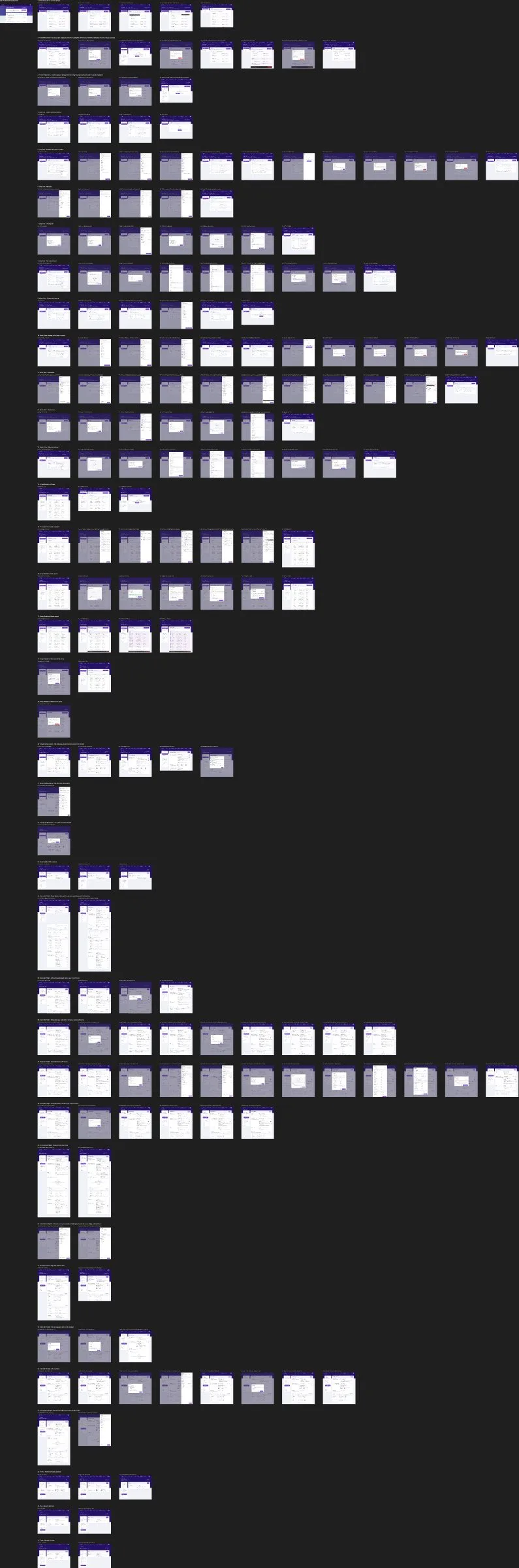
I design in Claude Design, but developers read Figma. Getting Travel Policy’s 193 screens there took three tries.
Three tries to get 193 screens into Figma.
I design in Claude Design, but developers read Figma.
- The LLM draws frames~185Kcharacters for 11 screens
- Components, through chat~1 hrfor 8 screens
- One file, one plugin4 min 13 sfor 193 screens
One file, one plugin
Claude writes every screen into one file. In Figma, a small plugin builds them from the real library.
Parts that repeat are written once and reused, and library updates go through the same plugin.
The file travels, not the tokens.
Claude writes every screen into one file. In Figma, a small plugin builds them from the real library.
Parts that repeat are written once, and library updates use the same plugin.
- 193screens
- 4:13minutes
- 0AI tokens
The proof: Travel Policy
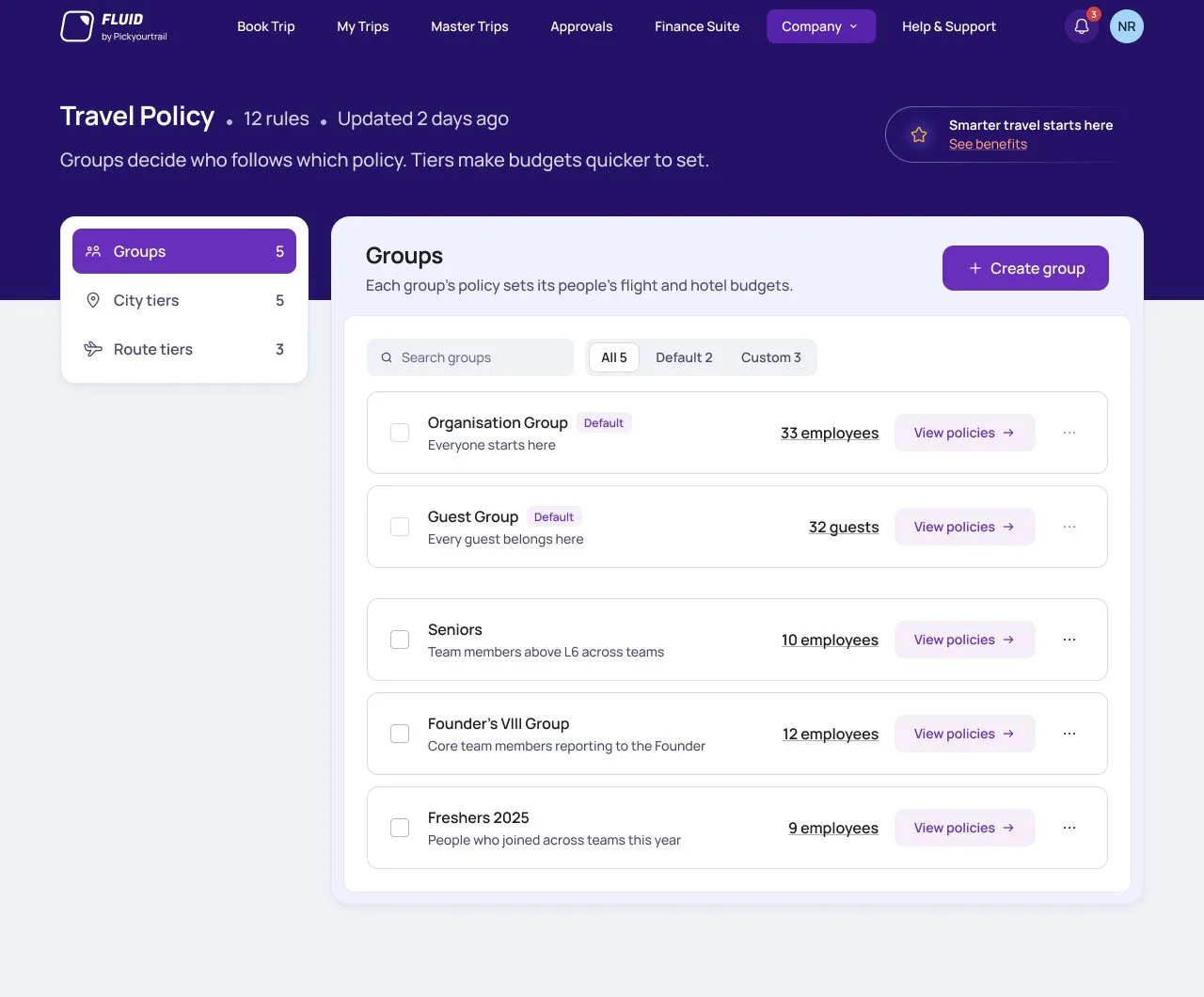
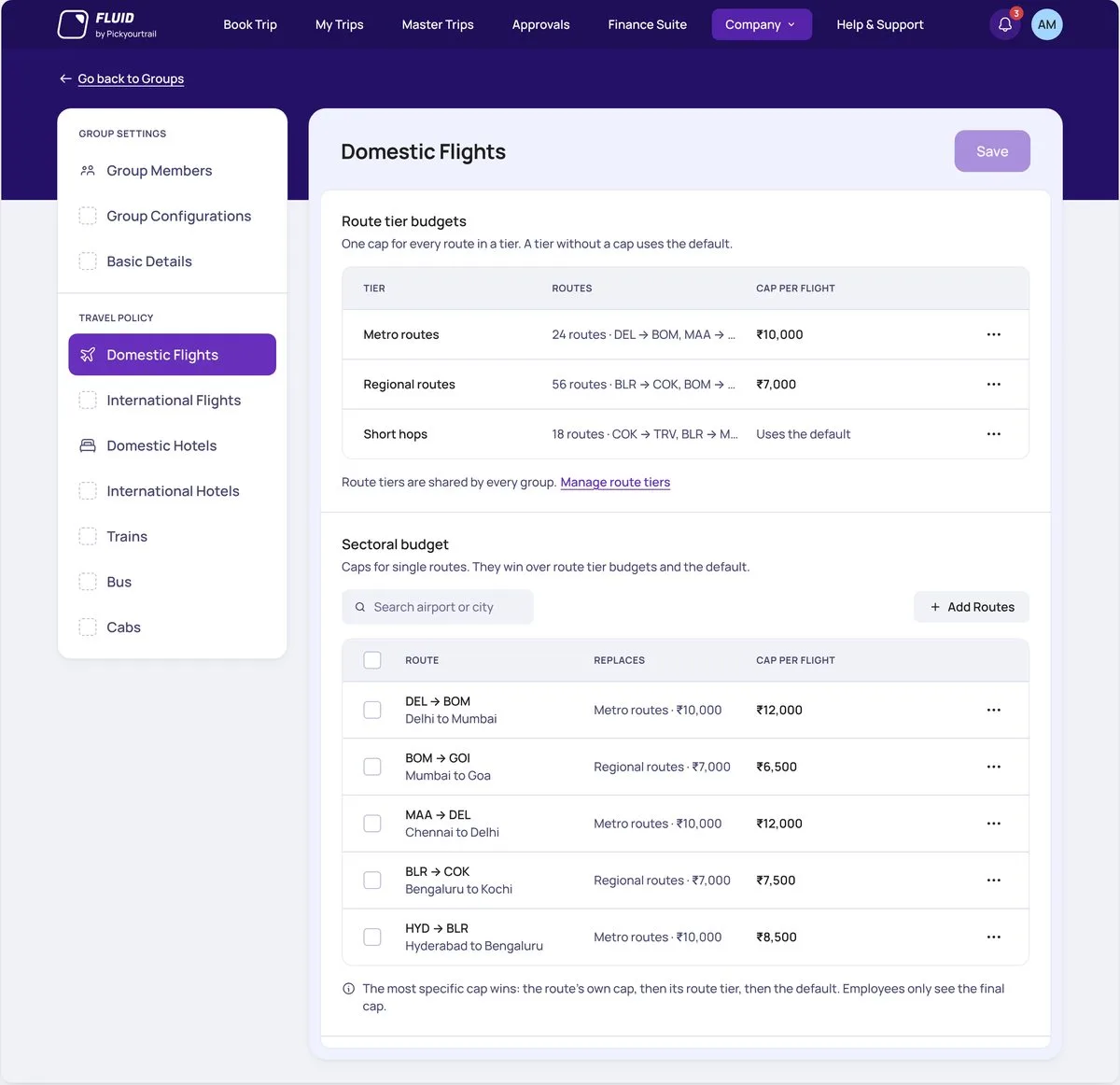
Travel Policy is where a company decides who can book what, and for how much. It’s the first full Fluid project designed only with Fluid DS.
The first project built only with Fluid DS.
Travel Policy is where a company decides who can book what, and for how much.
- Budget tables became read-only, with a ••• menu and Undo.
- Every amount says where it comes from.
- Disabled settings get two plain lines, not an alert box.
- 169frames, locked
- 36flows
- 2days, 12–13 Oct
- 30Fluid DS releases from this project
- 44frames flagged in a consistency pass
- 0raw values or render errors
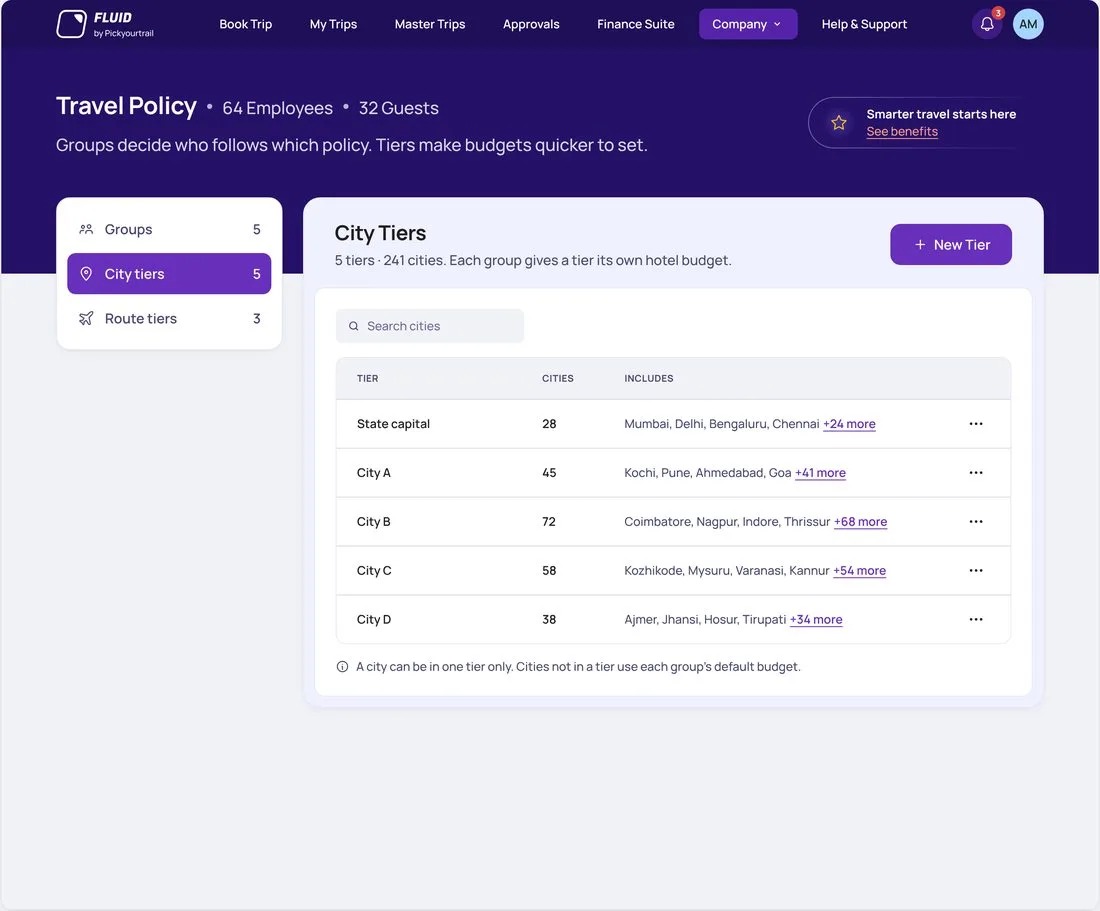
1 · Tiers list 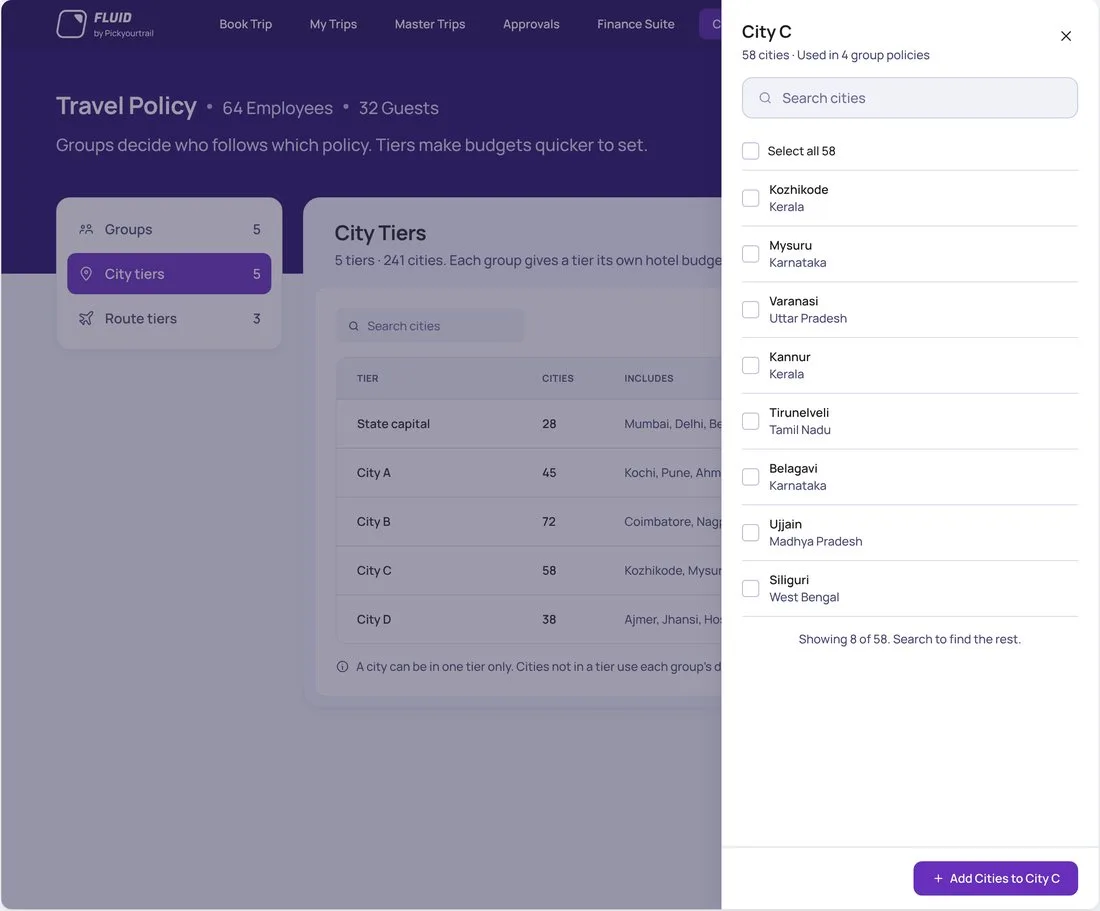
2 · A tier’s cities 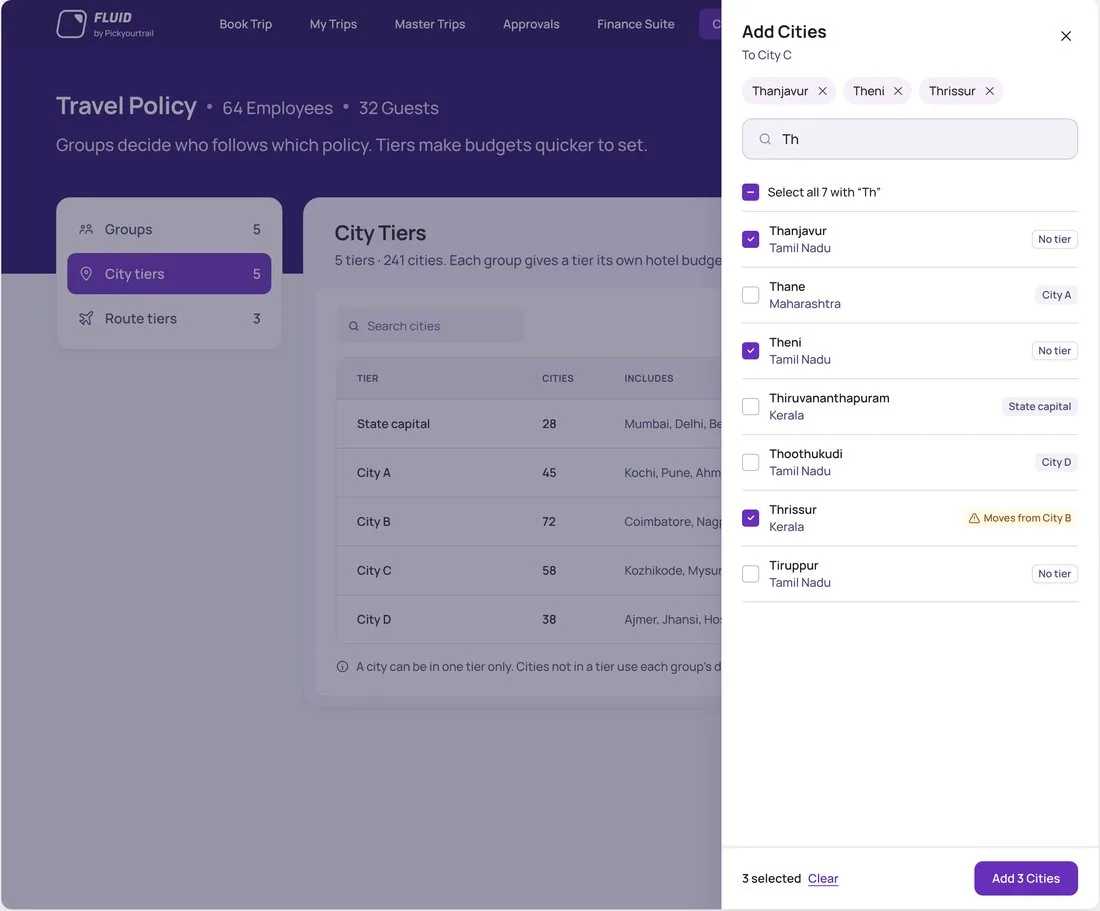
3 · Add cities 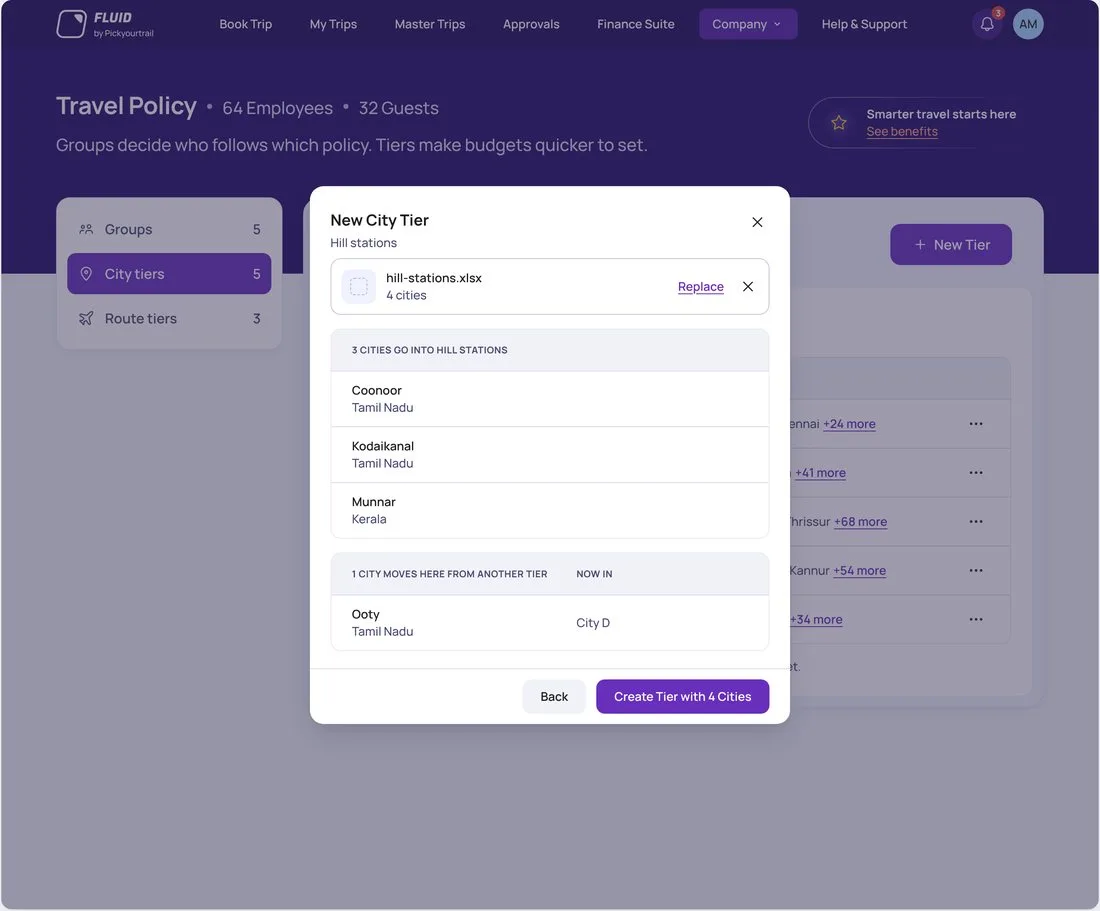
4 · Create a tier
What’s next
Developers only open Figma for Dev Mode. The code tool I’m building gives them a clickable prototype and an inspect view with each platform’s token names.
The same plugin will work for every project, with no per-project setup.
Hand off without Dev Mode.
The code tool I’m building gives developers a clickable prototype and an inspect view with each platform’s token names.
And the same plugin for every project, with no setup.
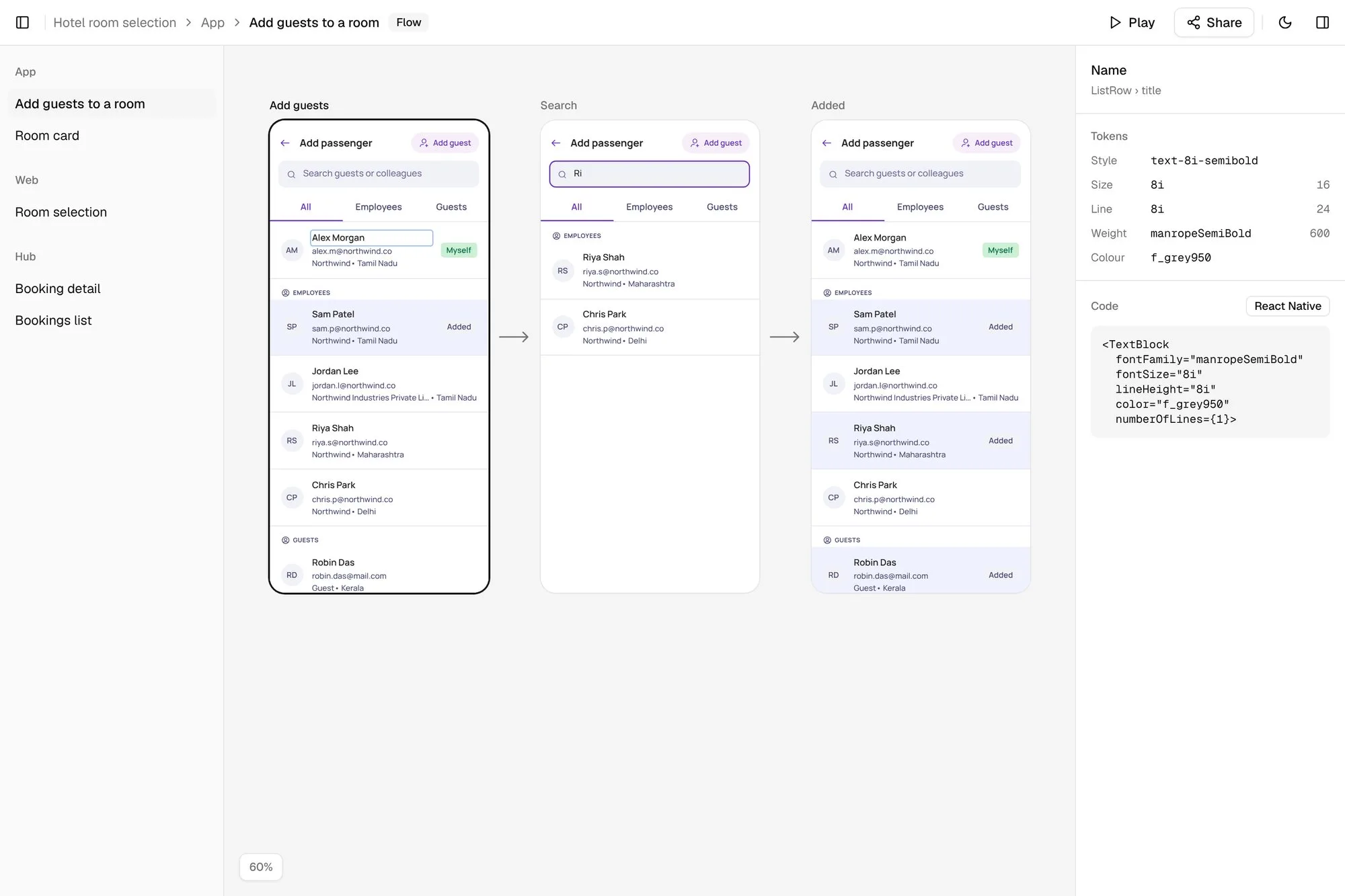
More screens, built in Claude Design
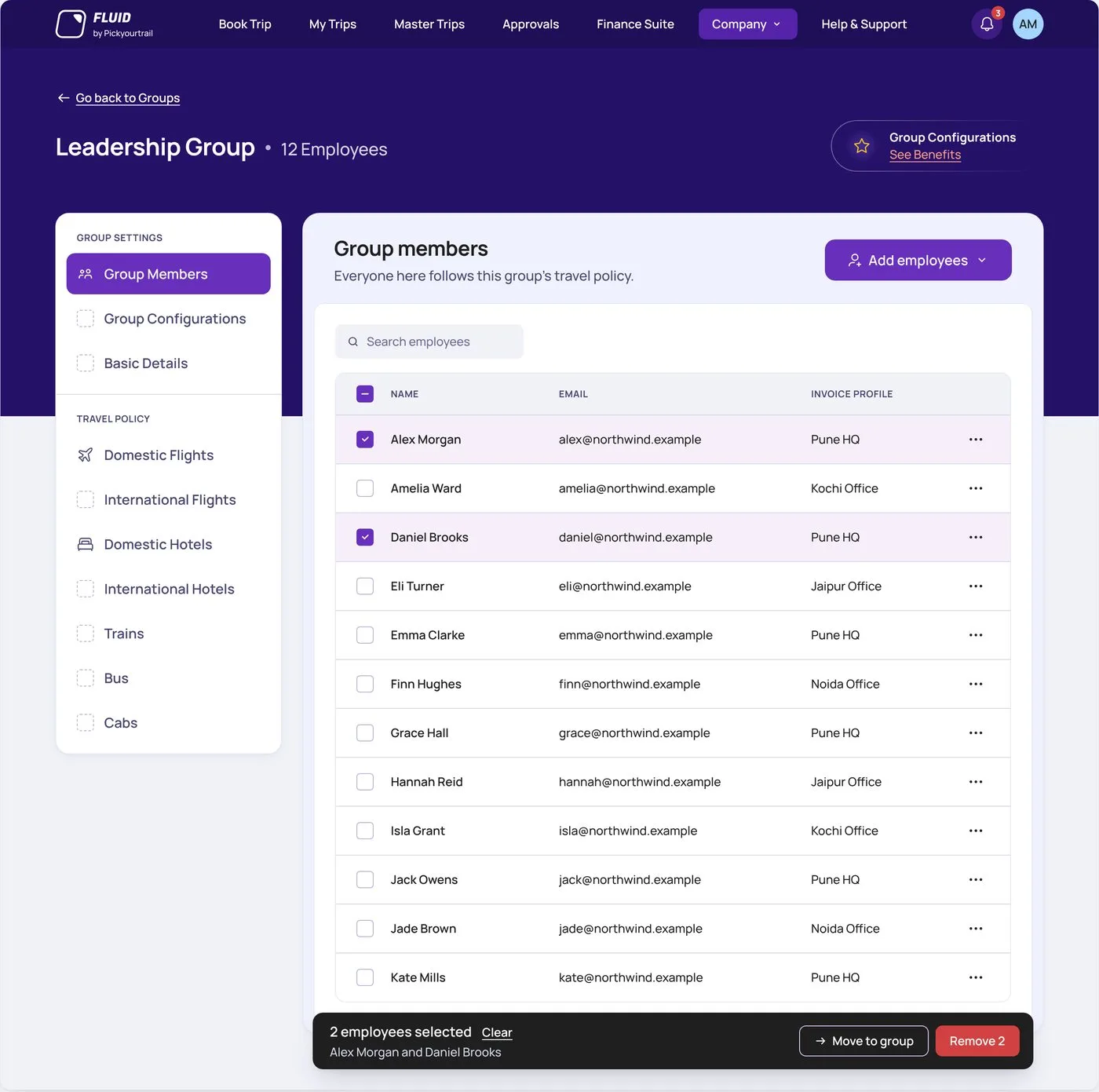
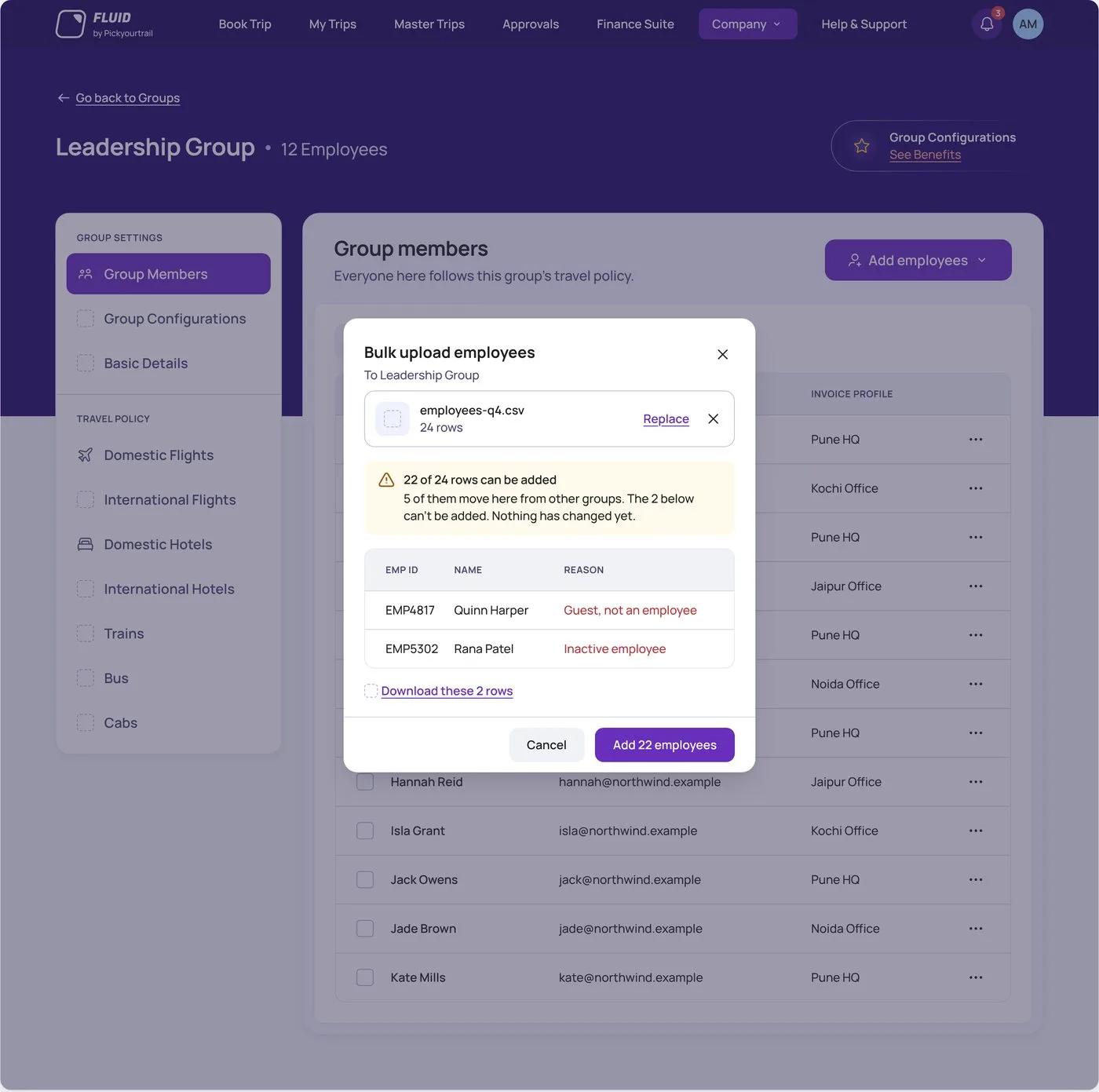
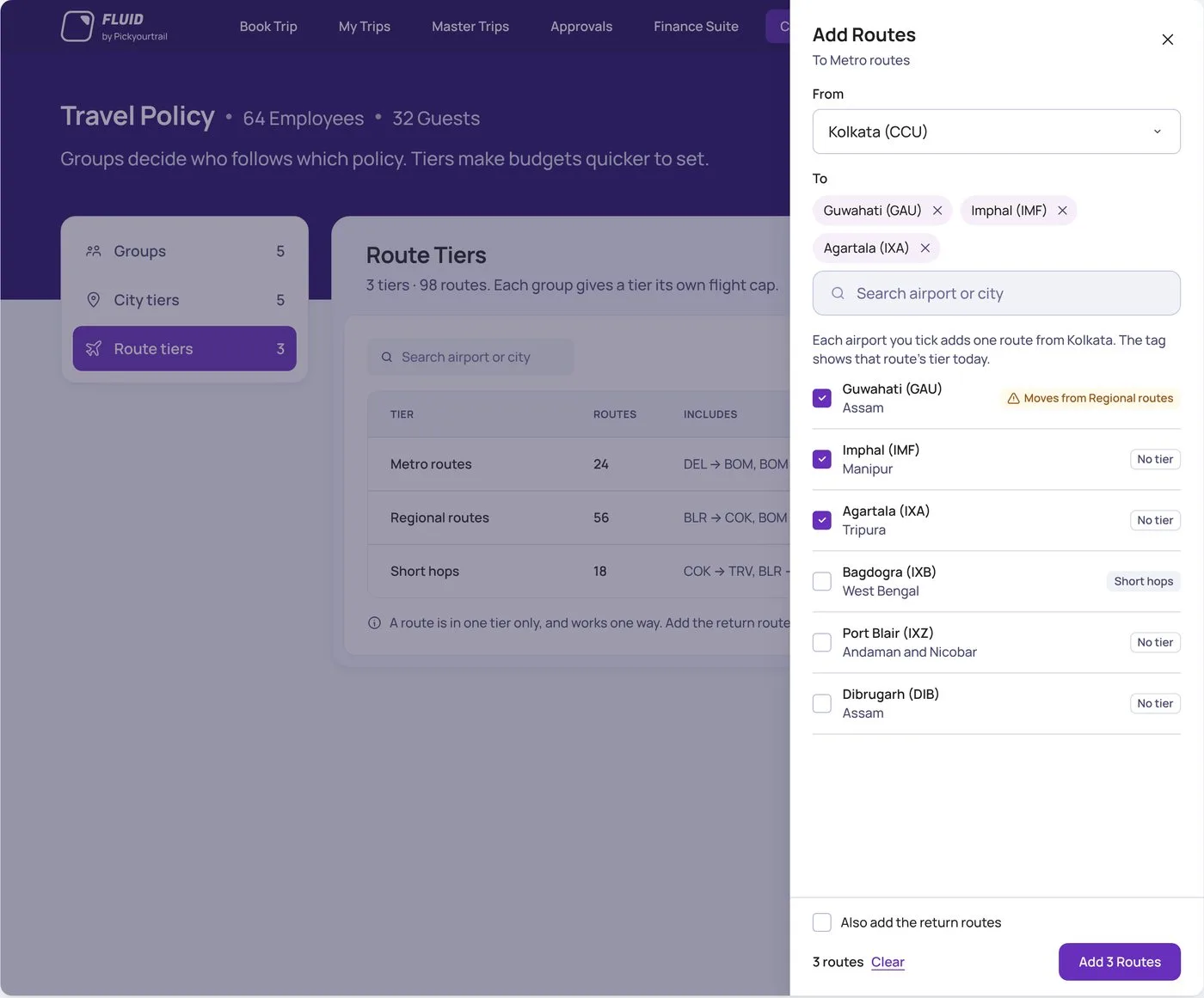
Drag or scroll to browseSwipe to browse
What I learned
- Lock flow by flow, not page by page.A flow is small enough to review every state, and each lock makes the next one faster.
- Review real states, not the happy path.Most good calls came from an empty, error or “already added” board.
- Some decisions stay with people.Claude never decides icons. A missing one gets a labelled stand-in for me to draw.
- A slow step often just needs a file.Sending screens to Figma through chat calls kept dropping the connection. Writing them into one file fixed it.